

Fastest Way to Remove Image Background for Large Sets
A single product launch can mean processing hundreds of images. Discover the fastest way to remove image background at scale using automated bulk tools and AI batch processing.
Every e-commerce operation faces the same bottleneck: product images. A Shopify store launching a new collection of 200 SKUs needs clean, transparent-background shots for every variant, every angle, and every lifestyle scene. A marketplace seller expanding across Amazon, eBay, and Etsy must deliver dozens of uniform cutouts for each listing. A digital asset manager migrating a brand's entire catalogue to a new CMS faces thousands of images that all need the same treatment.
Processing these one image at a time in Photoshop or GIMP is not just slow — it is operationally destructive. When each image takes 3-5 minutes of manual masking, a batch of 300 images eats 15 to 25 hours of labour. Multiply that by weekly catalogue refreshes, seasonal campaigns, and multi-channel distribution, and the cost in time and wages becomes unsustainable.
This is why finding the fastest way to remove image background is not a luxury — it is a core operational requirement for any scaling business. The difference between a manual workflow and an automated batch pipeline is the difference between days and minutes. This guide breaks down exactly how modern AI-driven bulk background removal works, compares the available workflow options, and delivers a practical optimisation playbook for processing product photos at scale.
The Mechanics of High-Volume Background Extraction
To understand the fastest way to remove image background, you need to understand what happens under the hood when an AI-powered bulk background remover tool processes an image. Traditional methods relied on manual edge detection — the pen tool in Photoshop, the magnetic lasso, or the eraser brush. Each of these requires a human to trace contours pixel by pixel, a process that is inherently sequential and limited by human speed and precision.
Modern computer vision models approach the same problem fundamentally differently. A convolutional neural network trained on millions of labelled image pairs can identify foreground subjects, detect soft boundaries like hair and fur, and separate shadows from background — all in a single forward pass that takes milliseconds. The model predicts a per-pixel alpha mask: each pixel receives a value between 0 (fully transparent) and 1 (fully opaque). The result is a matte that handles semi-transparent regions like glass, smoke, or fine hair with a fidelity that manual tracing simply cannot match.
When this inference engine is deployed behind a batch process product photos platform, the architecture changes from single-file processing to parallel queue management. A production-grade automated transparent cutout softwarecan distribute images across multiple GPU workers, process dozens of files concurrently, and return a complete set of transparent PNGs faster than a human can mask a single image. The throughput is limited only by I/O bandwidth — how fast you can upload and download — rather than by processing speed.

Comparing Multi-Image Workflows: Manual vs Desktop vs Cloud API
Manual per-image masking — the baseline
Using the pen tool, quick selection, or refine edge in Photoshop yields high-quality results for a single image but does not scale. Each image requires individual attention, and operator fatigue introduces quality drift: the 50th image rarely looks as clean as the 5th. For sets larger than 20 images, the cost-per-cutout exceeds the value of the asset.
Desktop batch software — constrained by local hardware
Dedicated desktop applications offer batch processing modes that queue multiple files through the same AI model. The limitation is local RAM and GPU VRAM. A model that runs in 300 ms per image on a cloud GPU can take 2-3 seconds on a laptop GPU. More critically, the entire batch ties up the local machine — you cannot browse, edit, or run other memory-intensive tasks while the queue processes. For a 500-image catalogue, the desktop becomes unusable for 15 to 30 minutes.
Cloud web API — the fastest way to remove image background in bulk
A cloud-based bulk background remover tooleliminates every hardware bottleneck. Images are uploaded to a server cluster where dedicated GPU instances handle the inference. Multiple workers process files in parallel, and the queue runs in the background — your computer stays free for other work. The effective throughput of a well-architected cloud pipeline is 10x to 50x faster than desktop software for large sets, making it the definitive fastest way to remove image backgroundfor production environments.
Throughput Comparison
Manual masking: 12-20 images/hour • Desktop batch: 200-400 images/hour • Cloud API batch: 2,000-5,000 images/hour
Step-by-Step Optimization Guide for Large Sets
Step 1: Pre-sort assets by lighting and object category
AI models perform best when input images share similar visual characteristics. Group your product photos by lighting condition (studio-lit vs natural light), object type (bottles vs apparel vs electronics), and background colour before uploading. This sorting lets the model apply consistent edge-detection parameters across each batch and reduces the variance that can cause edge artifacts on outlier images. The time spent sorting is recovered many times over in reduced manual touch-ups.
Step 2: Leverage bulk uploading for parallel processing
The fastest way to remove image background in a production workflow is to feed files to the processor as fast as the network allows. Use the bulk upload feature of your chosen platform to queue entire folders at once rather than uploading one file at a time. At RMBG.PRO, you can upload dozens of images simultaneously. The platform automatically distributes the workload across available compute resources, processing each file independently and returning results as they complete.
Step 3: Implement rapid download and unified export
A processing pipeline is only as fast as its export stage. After the AI completes the batch, use the unified download feature to pull all transparent PNGs at once. Structure your output folder to mirror your input folder — this preserves filenames and relative paths so that the processed images map directly to your CMS import sheet, Shopify bulk upload, or Amazon flat file. Zero post-processing reorganisation means zero wasted time.
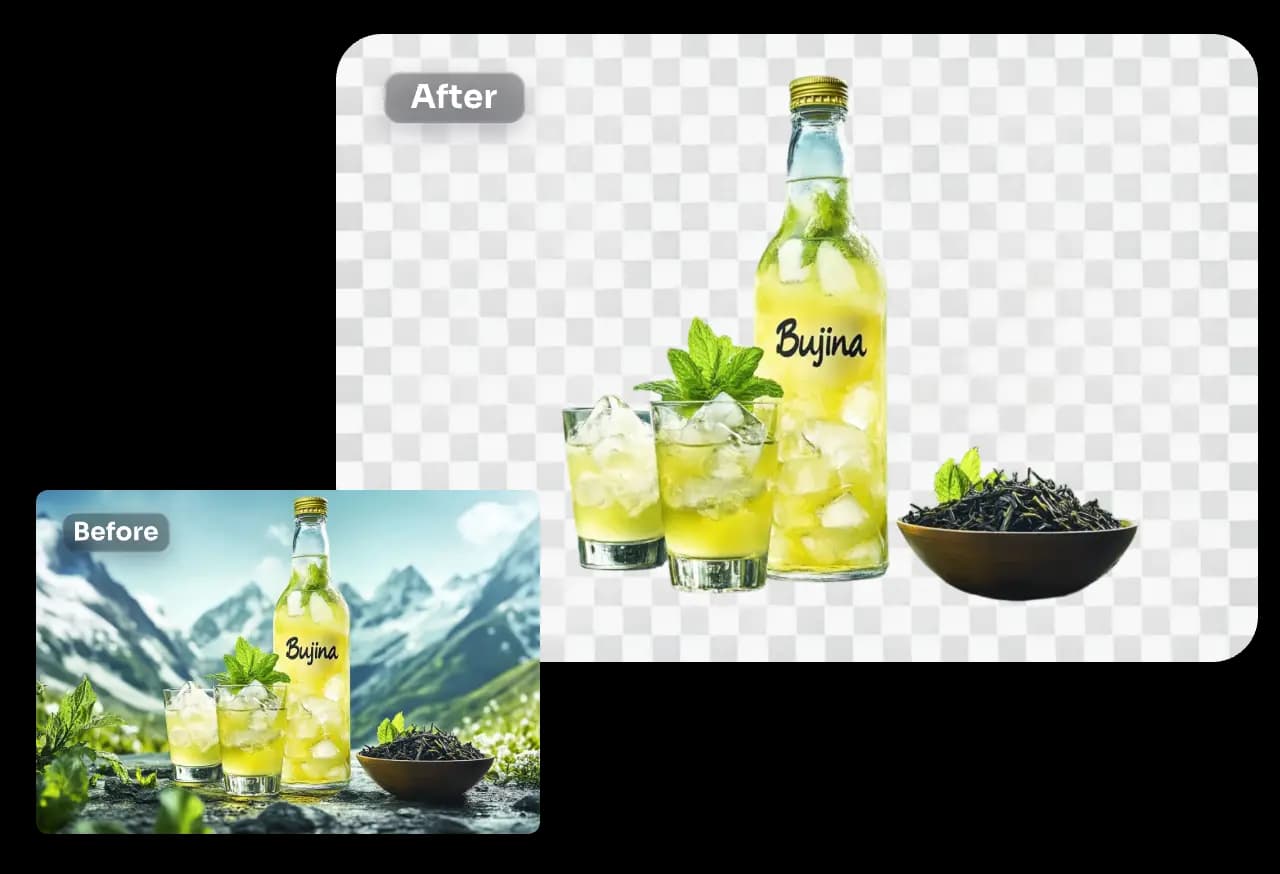
Step 4: Quality-check with a sampling strategy
Instead of reviewing every output image individually, sample strategically. For a batch of 200 images, review every 10th result plus any image the model flagged as low-confidence. Typical confidence thresholds catch edge cases like unusual product shapes, reflective surfaces, or subjects that occupy less than 15 % of the frame. This sampling approach cuts review time by 90 % while still catching the vast majority of problematic outputs.
Scale Your Product Photography Pipeline
The fastest way to remove image background for large sets is already here. RMBG.PRO is built as a lightweight, high-throughput engine engineered specifically for e-commerce teams, marketplace sellers, and digital asset managers who cannot afford to wait. Our bulk processing tool delivers zero-lag transparent cutouts with no software installation, no GPU upgrade, and no learning curve. Upload your folder, let the AI process every image in parallel, and download a production-ready set of transparent backgrounds in minutes.
Free, browser-based, no signup required.
Free • No signup • AI-powered • Instant results • Bulk processing