RMBG.PRO PrestaShop Module: Remove Background in Bulk from Product Images
If you manage a PrestaShop catalog, consistent product images matter. This module lets you remove backgrounds in bulk directly from your product pages, using your RMBG.PRO API key.
Published on April 29, 2026
What the module does
- Removes backgrounds from product images using RMBG.PRO.
- Supports bulk processing so you can clean catalogs faster.
- Keeps your workflow inside PrestaShop instead of exporting images to separate tools.
Download
Download the PrestaShop module as a ZIP file and upload it in your PrestaShop admin:
Install in PrestaShop
- Go to Modules > Module Manager.
- Click Upload a module and select the ZIP you downloaded.
- Install the module, then open its configuration page.
Connect your RMBG.PRO API key
The module uses your RMBG.PRO account for processing. Create or copy your API key from your profile, then paste it into the module settings.
Tip: if you are doing large catalogs, make sure you have enough credits on pricing.
Bulk background removal from product pages
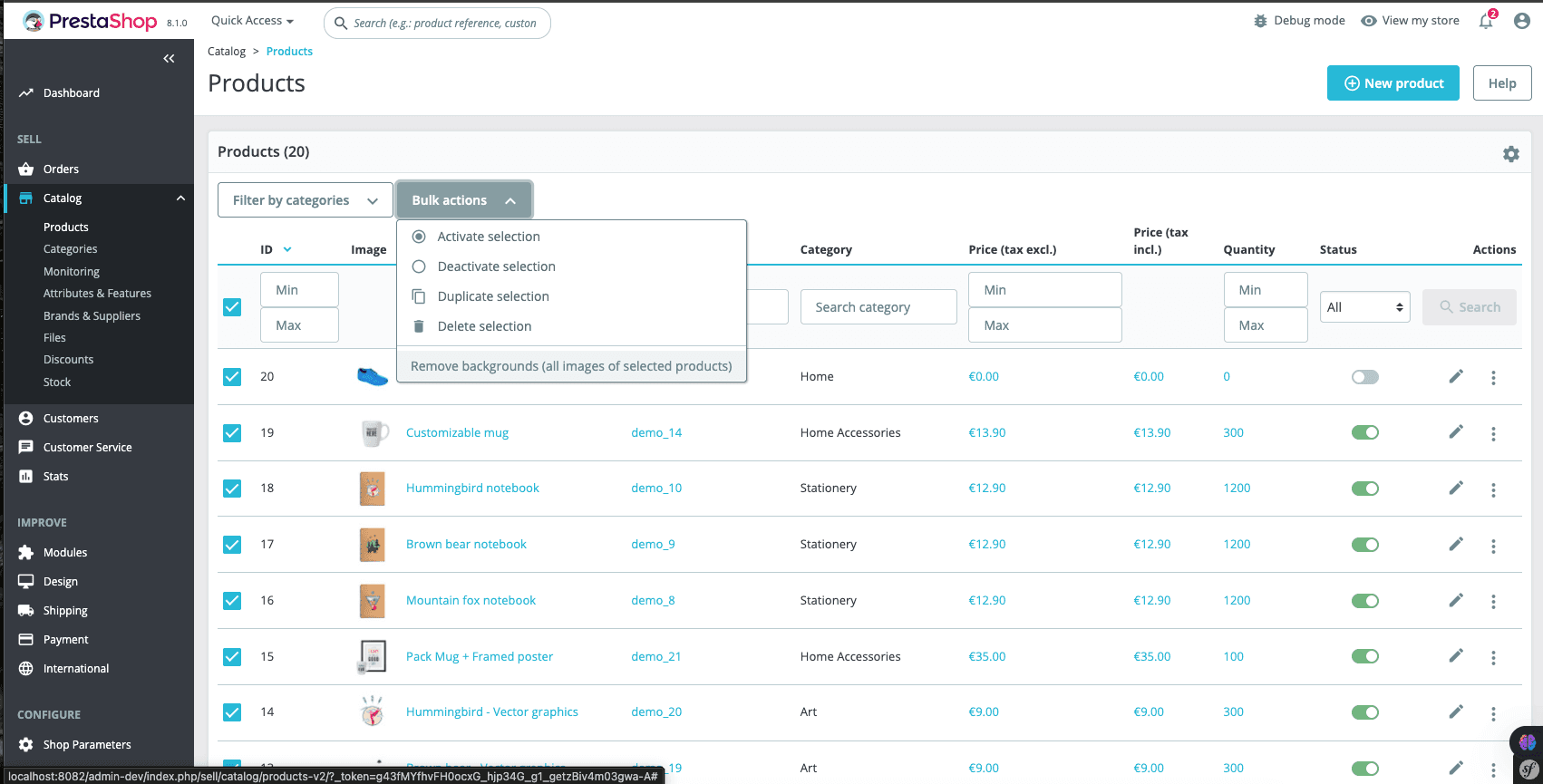
Once installed, you can remove backgrounds for multiple images quickly (for example, all images for a product, or across products depending on your workflow). This is ideal for:
- marketplaces that require white or transparent backgrounds
- catalog refreshes (seasonal, rebranding, new photography)
- dropshipping stores that need consistent thumbnails
Best practices for clean results
- Use high-resolution source images for better edge quality (hair, fur, glass).
- Prefer PNG when you need transparency; use JPG/WebP for standard backgrounds.
- Keep product framing consistent to improve perceived quality across category pages.
FAQ
Does the module remove background in bulk?
Yes. The goal is to streamline catalog cleanup by running background removal on multiple product images without leaving your PrestaShop admin.
Do I need an RMBG.PRO account?
You’ll need an RMBG.PRO API key to process images. You can manage credits and usage from your account.
Can I test the quality before installing?
Yes. Try the web tool first on a few sample product photos at rmbg.pro/remove-background.
Similar articles
View all
Run rembg-style background removal without installing Python. Compare the online tool, the REST API and self-hosting — with real processing-time trade-offs.
Détourez vos images dans le navigateur : pas de Python, pas de logiciel à installer. Comparaison entre outil en ligne, API REST et rembg en local.
أزل خلفية صورك من المتصفح مباشرة: بدون Python وبدون تثبيت أي برنامج. مقارنة بين الأداة أونلاين وواجهة API والأداة المحلية rembg.