Text to Speech AI: How to Generate Professional Natural Voices
Published on February 9, 2026 • 6 min read
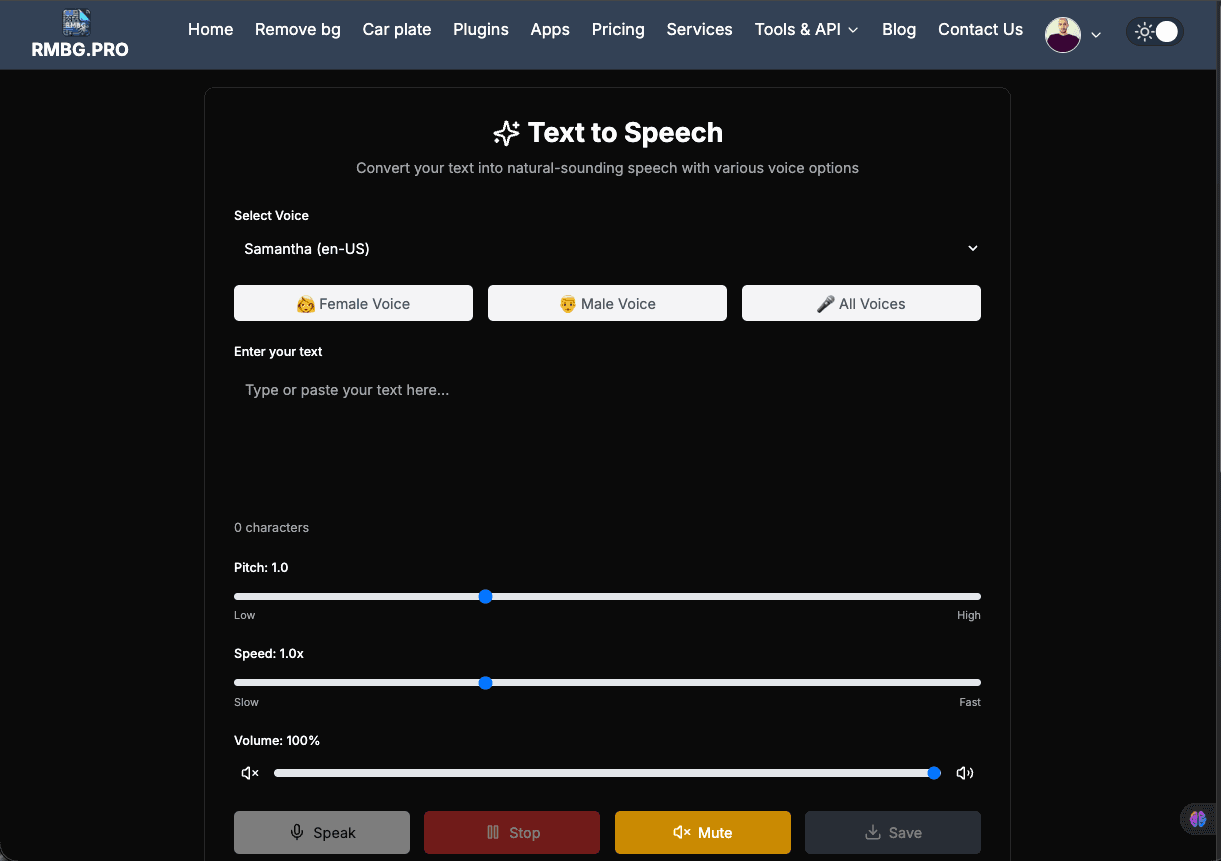
Audio content is more important than ever. Whether you're creating social media videos, e-learning modules, or simply need an accessible way to read long articles, high-quality audio is key. We are excited to announce a major upgrade to our Text to Speech (TTS) AI Tool at RMBG.PRO.
Our tool doesn't just read text; it uses advanced AI to deliver natural-sounding, human-like voices that you can download and use in any project.
Why Use AI Text to Speech?
AI has advanced to the point where digital voices are virtually indistinguishable from human narrators. Using our TTS tool offers several advantages:
- Save Time & Cost: No need for expensive recording equipment or professional voice actors.
- Consistency: Maintain a uniform brand voice across all your audio content.
- Global Reach: Instantly convert text into multiple languages and accents.
- Versatility: Adjust pitch, speed, and gender to match the mood of your content.
What's New in the RMBG.PRO TTS Tool?
We've completely overhauled the backend of our text-to-speech engine to provide a professional-grade experience:
1. High-Fidelity Professional Voices
We've integrated professional-grade AI voices (powered by Amazon Polly via StreamElements). These voices capture the nuances of human speech, including proper intonation and rhythm, making them perfect for commercial use.
2. Seamless Gender & Language Mapping
Our new engine automatically detects your language and gender preferences. When you select a "Female Voice" or "Male Voice" in your browser, our server automatically maps it to a high-quality professional counterpart for the download.
3. High-Quality MP3 Downloads
The "Save" feature has been optimized. When you click save, our server processes your text through the AI engine and delivers a high-bitrate MP3 file ready for your video editor or podcasting software.
How to Generate the Perfect Audio
To get the best results from our Text to Speech Tool, follow these tips:
- Punctuation Matters: AI voices use punctuation (commas, periods, questions) to determine where to breathe and pause.
- Adjust the Speed: For educational content, a 0.9x or 1.0x speed is usually best. For quick announcements, try 1.1x.
- Experiment with Pitch: Lowering the pitch slightly can make a voice sound more authoritative, while raising it makes it sound more energetic.
Pro Feature: Direct Download
Unlike many other free tools that only let you listen, RMBG.PRO allows you to Save your audio as a high-quality MP3 file for free. Just type your text, select your favorite voice, and hit the download button!
Conclusion
The new and improved Text to Speech tool is part of our ongoing mission to provide creators with the best AI-powered utilities on the web. Whether you're a YouTuber, a developer, or a content marketer, our professional voices are ready to bring your text to life.