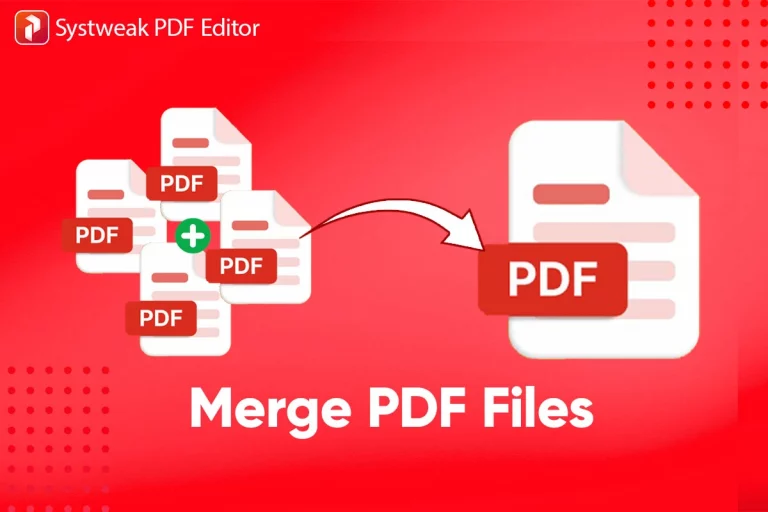
PDF Merger Online
Merge PDF files online with RMBG.PRO. Combine multiple PDF documents in your browser with a simple and fast workflow. Free, secure, no signup required.
Published on July 21, 2026
A contract on one side, an invoice on the other, and a signed appendix somewhere in between. Now you need all of that to become a single file. Merging PDFs should be quick and hassle-free, but many online tools hide the feature behind paywalls, force you to create an account, or add a watermark to the result.
The RMBG.PRO PDF merger takes a different approach. Upload your files, arrange them in the order you want, and download a combined document. No signup, no watermark, and everything stays in your browser.
This article explains why PDF merging matters, how the tool works step by step, common use cases across different professions, and best practices for producing clean, professional merged documents.
Why merge PDFs
PDF files pile up fast. A single project can generate dozens of separate documents from different sources, and at some point you need to bring them together. Here are the most common reasons people merge PDFs:
Complete business proposals
Combine your cover letter, project plan, pricing sheet, and portfolio samples into one polished document before sending it to a client.
Assemble legal contracts
Merge the main agreement, amendments, attachments, and signature pages into a single document that is easy to file and review.
Organize academic work
Bring together research articles, references, data appendices, and cover pages into a thesis chapter or project report ready for submission.
Consolidate financial documents
Merge monthly statements, invoices, receipts, and tax documents into a single file for bookkeeping or audit preparation.
Why it matters: Sending one PDF is faster for you and more convenient for the recipient. It eliminates the confusion of managing multiple attachments and ensures nothing gets lost along the way.
How to merge PDFs with RMBG.PRO
The process takes less than a minute:
Open the PDF merger
Go to rmbg.pro/file-tools/pdf-merger in any browser.
Upload your files
Drag and drop your PDF files onto the page, or click to browse your device. You can add as many as you need.
Rearrange the order
Drag files up or down to set the exact sequence in the final document.
Merge and download
Click the merge button and download your combined PDF. Processing happens entirely in your browser.
No signup required. No email address, no account creation, no terms to accept. Open the page and start merging.
Key benefits
Free
No fees, no limits, no trial
Secure
Files never leave your browser
Fast
Merging in seconds on any device
No quality loss
Pages merge exactly as they are
Unlimited
Merge as many times as you need
Drag and drop
Simple import with visual reordering
Cross-platform
Works on Windows, macOS, Linux, mobile
No installation
Compatible with Chrome, Safari, Firefox, Edge
Layout preserved
Fonts, images, and formatting stay intact
Use cases by profession
PDF merging is an everyday task across all industries. Here is where the ability to quickly combine documents makes the biggest difference:
Legal professionals
Combine contracts, exhibits, court filings, and declarations into a single dossier for submissions or client review.
Business teams
Merge proposals, service agreements, invoices, and supporting documents into a polished deliverable before sending to stakeholders.
Students and researchers
Bring together research articles, appendices, data tables, and cover pages into theses and dissertations ready for submission.
Accountants and finance
Consolidate bank statements, receipts, invoices, and tax documents into organized files for audits and annual filings.
Healthcare
Merge intake forms, lab results, imaging reports, and referral letters into a single portable patient file.
Real estate
Combine purchase agreements, disclosures, inspection reports, and title documents into a complete closing package.
Administration and compliance
Assemble permit applications, checklists, environmental reports, and supporting documents for agency submissions.
Freelancers and creatives
Merge mood boards, contracts, deliverables, and style guides into professional project packages for your clients.
Best practices for merging PDFs
A clean merge goes beyond simply stacking files. Follow these tips to produce professional, well-structured merged documents.
Standardize page sizes beforehand
If your source PDFs use different formats (Letter vs A4, portrait vs landscape), normalize them before merging. Mixed formats produce awkward layouts in the final document.
Plan the page order before uploading
Define the sequence in advance: cover page first, then table of contents, body text, appendices, and supporting documents. This saves time and avoids re-merging.
Remove blank pages and drafts
Use the PDF splitter to remove blank pages, drafts, or outdated versions before merging. Cleaner inputs produce a cleaner result.
Compress after merging
Combining multiple large PDFs can produce a heavy file. Use the PDF compressor to reduce the merged document size before sharing it.
Add bookmarks for long documents
If your merged PDF exceeds 20 pages, consider adding bookmarks or a table of contents. Your readers will appreciate the navigation shortcuts.
Verify fonts and images after merging
Open the merged file and scroll through it once. Check that all fonts render correctly, images are sharp, and page breaks fall in the right places.
How PDF merging works (technical overview)
Understanding what happens under the hood helps you make better decisions about file preparation and troubleshoot edge cases.
Page-level concatenation
At its core, PDF merging reads the page tree of each source file and appends pages to a new document in the specified order. Structural objects (fonts, color profiles, metadata) are carried over without re-encoding.
Resource deduplication
When multiple source files use the same font or color profile, a smart merger deduplicates these resources. This prevents the merged file from becoming unnecessarily large due to redundant embedded objects.
Cross-reference management
Each PDF maintains a cross-reference table that maps object references. The merger rebuilds this table for the combined document, ensuring all internal links and annotations point to the correct positions.
Bookmark and annotation preservation
Bookmarks, hyperlinks, and annotations from the original files are preserved during merging. Readers can still navigate via the outline panel, and clickable links remain functional in the merged document.
Frequently asked questions
Is the PDF merger really free?▾
Yes. The RMBG.PRO PDF merger is completely free, with no hidden fees, no watermark, and no usage limits.
How many PDF files can I merge at once?▾
You can merge as many PDF files as you want. Upload them all, rearrange the order, and combine them into a single document.
Are my files safe when I merge PDFs?▾
Absolutely. All processing happens directly in your browser. Your files are never sent to a server, so they remain completely private.
Does merging affect my PDF quality?▾
No. Merging combines pages as-is. Fonts, images, layouts, and formatting are preserved with no loss of quality.
Do I need to create an account to merge PDFs?▾
No account is needed. Open the tool, upload your files, rearrange the order, and download the merged PDF.
Can I rearrange pages before merging?▾
Yes. You can drag and drop files to reorder them before merging. You control the exact structure of the final document.
Does the tool work on mobile?▾
Yes. The tool is fully responsive and works on iOS, Android, and any device with a modern browser.
Can I merge a PDF with images or other file types?▾
The tool merges PDF files. If you have images or other documents, convert them to PDF first with the RMBG.PRO JPG to PDF tool, then merge them.
Is there a file size limit for merging?▾
There is no strict size limit. Since processing runs locally in your browser, performance depends on your device.
Can I merge password-protected PDFs?▾
You need to unlock the PDF first by providing the password. Once unlocked, you can include it in the merge like any other file.
Related PDF tools
RMBG.PRO offers a growing suite of free PDF tools you can use right in your browser:
Ready to merge your PDFs?
Combine multiple PDF files into one in seconds. Free, secure, no signup required.
Merge PDFsSimilar articles
View all
Run rembg-style background removal without installing Python. Compare the online tool, the REST API and self-hosting — with real processing-time trade-offs.
Détourez vos images dans le navigateur : pas de Python, pas de logiciel à installer. Comparaison entre outil en ligne, API REST et rembg en local.
أزل خلفية صورك من المتصفح مباشرة: بدون Python وبدون تثبيت أي برنامج. مقارنة بين الأداة أونلاين وواجهة API والأداة المحلية rembg.