
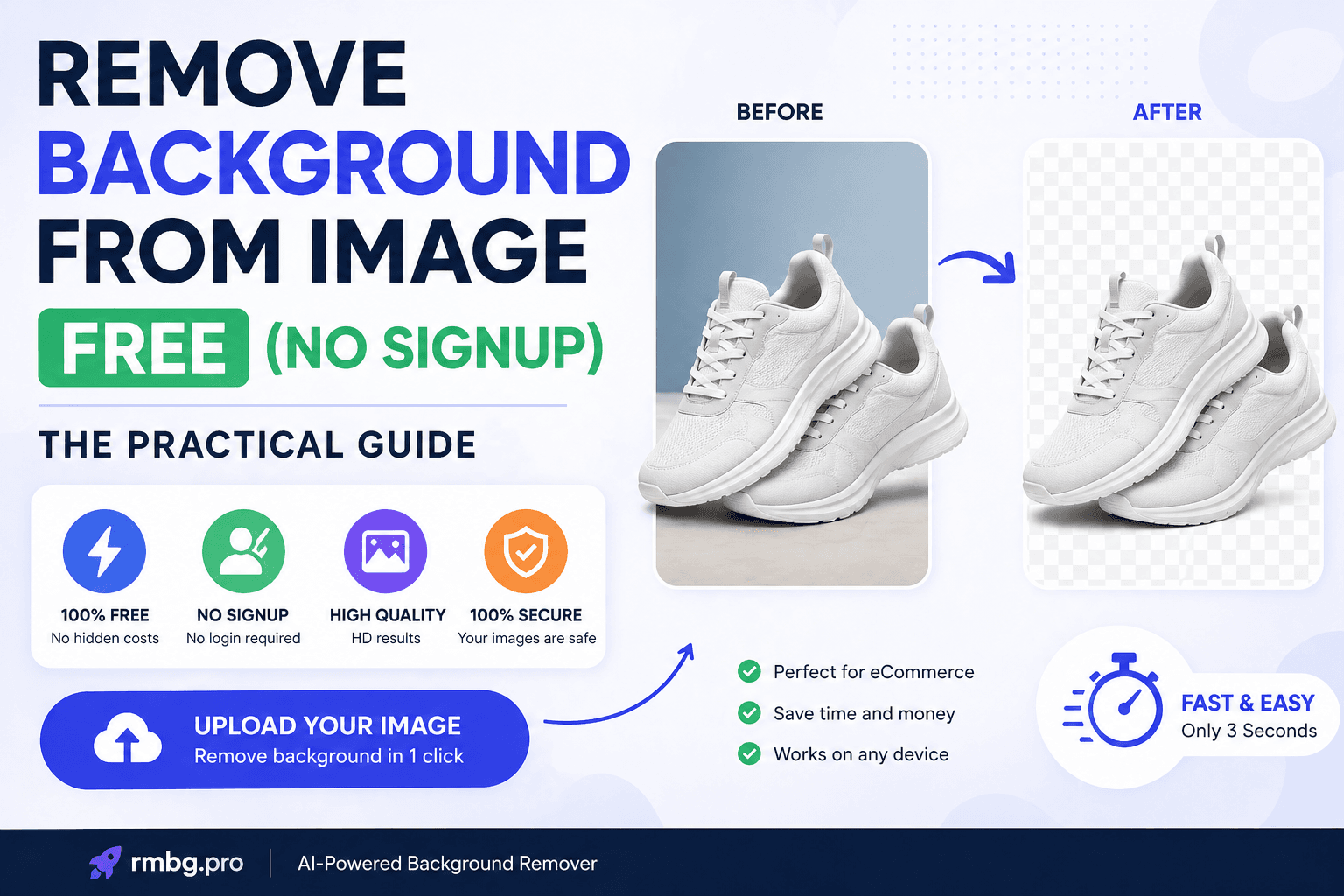
Remove Background from Image Free (No Signup): The Practical Guide
Need a transparent background PNG for a product photo, profile image, or design asset—without creating an account? This guide shows exactly how to remove background from image free (no signup) using rmbg.pro, plus the settings and habits that keep edges clean and results professional.
Published on April 24, 2026
Quick steps
- Open rmbg.pro/remove-background
- Upload your image (drag & drop)
- Download a transparent PNG
Best for
- Product photos and marketplace listings
- Creator cutouts for thumbnails and overlays
- Design assets (transparent PNG for Canva/Figma)
Why “No Signup” Background Removal Is a Real Advantage
If you remove backgrounds frequently—especially for ecommerce or marketing—signup friction becomes a hidden cost. “No signup” workflows matter because they:
- Save time: you can test results immediately without account setup.
- Reduce risk: fewer steps means fewer places to share personal data.
- Fit real workflows: quick cutouts for listings, ads, mockups, and client drafts.
That’s why rmbg.pro background remover is built to be direct: upload, process, download.
How to Remove Background from an Image Free (No Signup) with rmbg.pro
This is the fastest path to a clean transparent output. You don’t need special software—just your image and a browser.
- Open https://rmbg.pro/remove-background.
- Upload your image (drag & drop works best for speed).
- Wait for the AI cutout (usually just a few seconds).
- Download the result as a transparent PNG for maximum compatibility.
If you’re working with product catalogs or creatives daily, bookmark the tool for repeat use.
Best Output Settings: PNG vs JPG vs WebP
Most “bad results” aren’t actually the cutout—they’re the export format. Use this rule of thumb:
| Format | Best for | Notes |
|---|---|---|
| PNG | Transparency and clean edges | Best for cutouts, logos, and design assets |
| JPG | Uploading photos | No transparency; avoid for final cutouts |
| WebP | Web performance | Great for websites; keep a PNG master if possible |
If you need to resize or convert formats after removing the background, keep PNG as your “master” asset and convert later for web.
Quality Checklist: Get Cleaner Edges (Hair, Fur, Transparent Objects)
Background removal is easiest when the subject is clear. Before uploading, run through this checklist:
- Use a higher resolution image: more pixels means better edge detail.
- Increase contrast: subject should visually separate from the background.
- Avoid heavy compression: low-quality JPEG artifacts confuse edge detection.
- Watch motion blur: blurred borders reduce accuracy.
- Be careful with glass/smoke: semi-transparent objects can require extra refinement.
For ecommerce, the best inputs are evenly-lit product photos with a clear silhouette. For portraits, clean lighting and sharp focus around hair make a big difference.
Common Issues (and How to Fix Them Fast)
Edges look jagged
- Upload a larger version of the image (avoid screenshots if possible).
- Prefer the original camera file over a compressed social-media download.
Hair looks “cut off”
- Choose a photo with better lighting and less noisy backgrounds.
- Avoid backgrounds with patterns behind hair (trees, fences, text).
White objects disappear on white backgrounds
- Upload a version with stronger contrast (slightly darker background helps).
- Avoid overexposure where the subject blends into the background.
Use Cases: Where Free No-Signup Background Removal Pays Off
Ecommerce (Shopify, Amazon, Etsy)
Clean cutouts can lift conversion rates because the product becomes the focus. Typical uses:
- Marketplace-ready product images (white background or transparent cutouts)
- Ad creatives with bold color blocks behind the product
- Catalog consistency across hundreds of SKUs
Related reading: Remove Background: Complete Guide and Shopify App to Remove Background.
Designers (Figma, Canva, Adobe)
- Instant cutouts for hero sections, posters, landing pages, and pitch decks
- Sticker-style portraits for creators and community posts
- Reusable transparent assets for brand systems
Developers and Automation
If you want to build a repeatable pipeline (bulk processing, scheduled catalog refresh, CMS integration), plan for an API-style workflow.
Related reading: RMBG.PRO API Development Guide.
Quick Comparison: remove.bg vs rmbg.pro
Both tools can produce high-quality cutouts, but there are practical differences that matter for speed and workflow:
- Signup friction: rmbg.pro focuses on fast access and a direct workflow.
- Workflow simplicity: upload → remove → download, optimized for repeat use.
- Use-case fit: ecommerce, creators, and teams who need quick assets benefit from fewer steps.
Internal Links
Start here
Image Suggestions (with ALT text)
- Tool UI screenshot — ALT: “Remove background from image free no signup using rmbg.pro”
- Before/after product cutout — ALT: “Before and after AI background removal for ecommerce product photo”
- Hair edge zoom — ALT: “Clean hair edges after removing photo background online”
- Use case collage — ALT: “Transparent PNG cutouts for ecommerce creators and designers”
FAQ
How can I remove background from an image free with no signup?▾
Do I get a transparent background PNG?▾
What photos work best for background removal?▾
Can I remove background from product photos for Shopify?▾
Is rmbg.pro better than remove.bg?▾
Try rmbg.pro for Free
Upload an image and download a transparent PNG in seconds. No complicated setup—just a fast workflow that fits ecommerce and design needs.
Similar articles
View all
Work with permitted TikTok content using RMBG.PRO. Check public TikTok links, convert videos to MP4 or WebM, extract MP3 or WAV audio, and choose quality presets.
Travaillez avec du contenu TikTok autorisé grâce à RMBG.PRO. Vérifiez les liens publics, convertissez en MP4 ou WebM, extrayez l’audio MP3 ou WAV et choisissez la qualité.
Trabaja con contenido TikTok permitido en RMBG.PRO. Revisa enlaces públicos, convierte a MP4 o WebM, extrae audio MP3 o WAV y elige la calidad.