

RMBG PRO for macOS
The ultimate native Mac application for professional background removal. Process unlimited images in bulk without any external APIs or internet connection required.
Ready to Transform Your Workflow?
Get unlimited access to professional background removal on your Mac
Why Choose RMBG PRO for macOS?
RMBG PRO for macOS represents a breakthrough in desktop image processing technology. Built specifically for Apple Silicon and Intel Macs, it brings studio-quality AI directly to your local hardware.
Unlike web-based solutions that require constant internet connectivity and slow API uploads, our native Mac application allows you to work entirely offline. This means zero latency, 100% privacy, and no subscription fees. Whether you're a photographer processing hundreds of RAW files or an e-commerce manager cleaning up catalog shots, CopyFlow for macOS is your new productivity superpower.
Video Guide: RMBG PRO for macOS
Watch a full walkthrough of setup, automation, and licensing.
Click to load YouTube video. This will set cookies from YouTube.
Powerful Features
Lightning Fast Processing
Native macOS optimization ensures maximum performance and speed for bulk image processing.
Complete Privacy
All processing happens locally on your Mac. Your images never leave your device.
Bulk Processing
Process hundreds of images simultaneously with our advanced batch processing engine.
No Internet Required
Work offline without any dependency on external APIs or internet connectivity.
Unlimited Usage
One-time purchase gives you lifetime access with no monthly fees or usage limits.
Professional Quality
Advanced AI algorithms deliver studio-quality results for all your projects.
Lifetime Pricing
Lifetime licence. No monthly fees. Unlimited usage.
- Local Free Model: runs entirely on your Mac, offline and unlimited
- RMBG Cloud Model: server‑processed for higher quality results
- Transparent PNG output for easy compositing
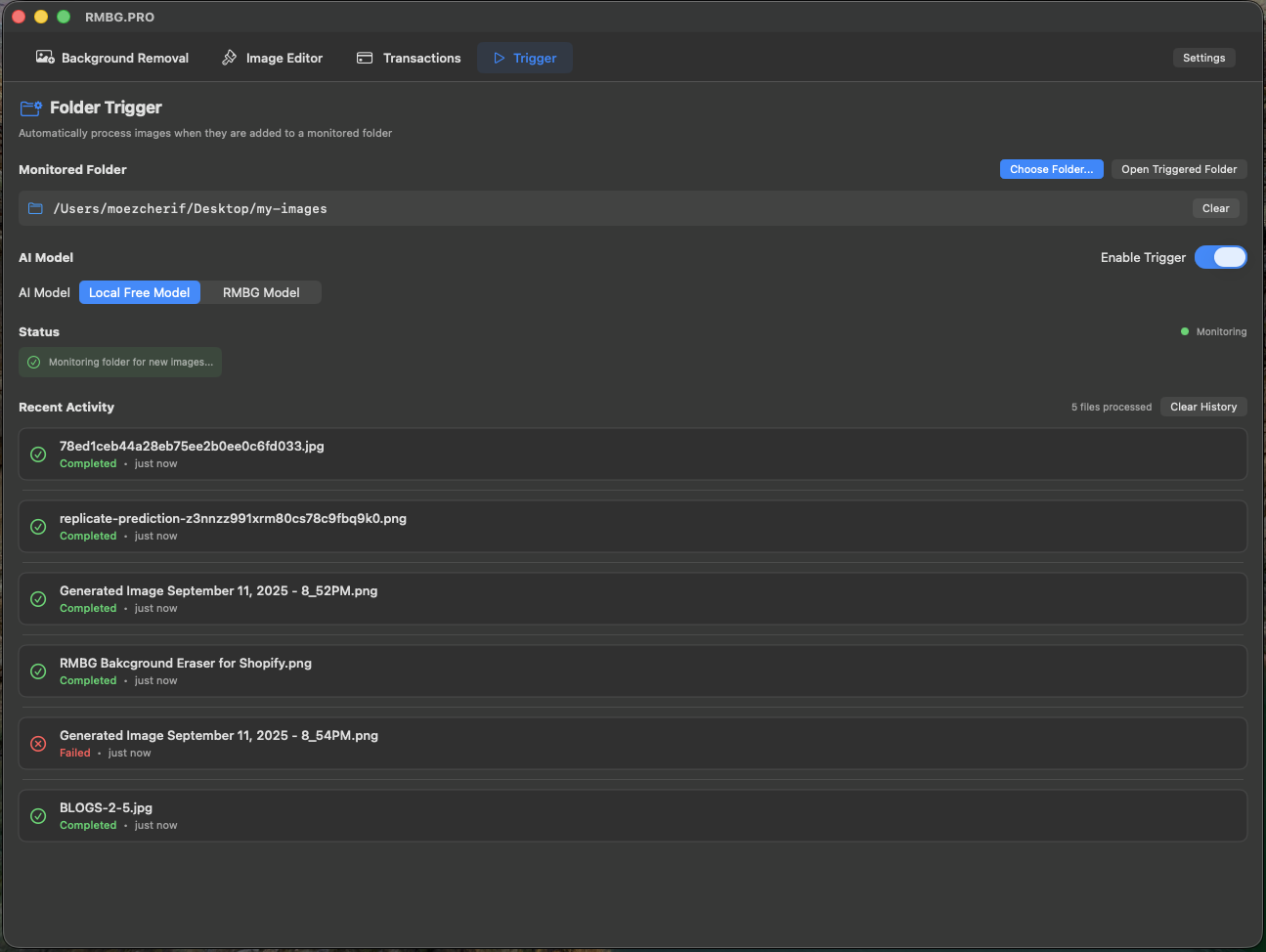
- Trigger Automation: watch a folder and auto‑process new images
- Choose folder via Finder, enable/disable with a simple switch
- Auto‑save into
rmbg_processed - Recent Activity with status & time‑ago
- Image Editor: multi‑layer compositing and ordered export
- Preferences: model picker, file suffix, and global hotkeys
Detailed Feature Overview
Background Removal
- Local Free Model (offline, unlimited)
- RMBG Cloud Model for higher quality
- Transparent PNG output
Trigger Automation (Folder Watch)
- Pick any folder via Finder, enable/disable trigger
- Choose AI model for auto‑processing
- Results saved in
rmbg_processed - Prevents recursive processing
- Open Triggered Folder shortcut
- Recent Activity list with status and time‑ago
Image Editor (Layers)
- Import multiple images as layers
- Per‑layer background removal
- Arrange order and export composite
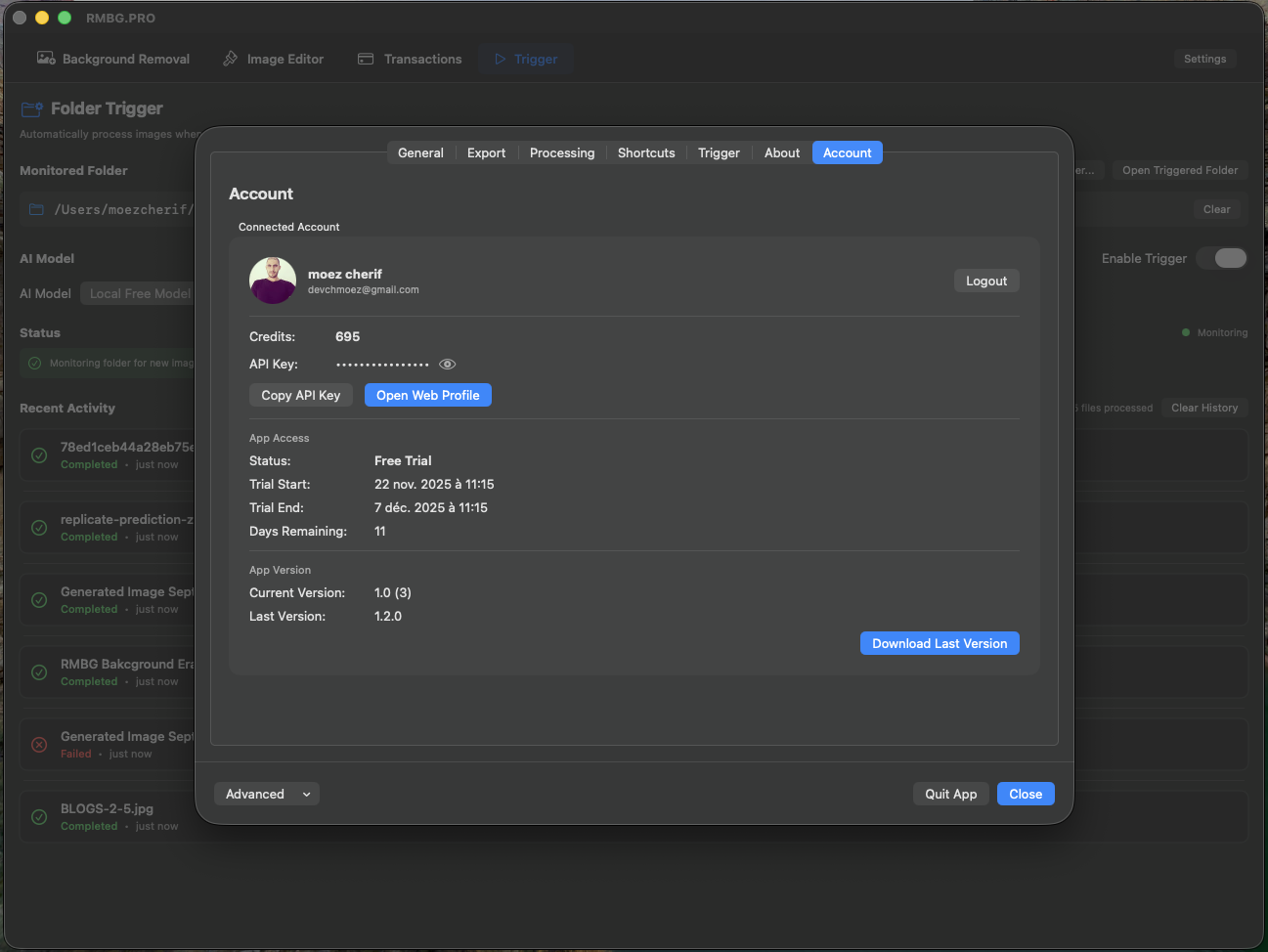
Settings & Preferences
- Model picker: Local Free vs RMBG
- File naming suffix customization
- Quit App button
macOS Integration
- Native UI built with SwiftUI
- Deep Finder integration
- High‑performance FSEvents monitoring
Privacy & Connectivity
- Local model works entirely offline
- Cloud model uses the RMBG API (internet required)
See It in Action
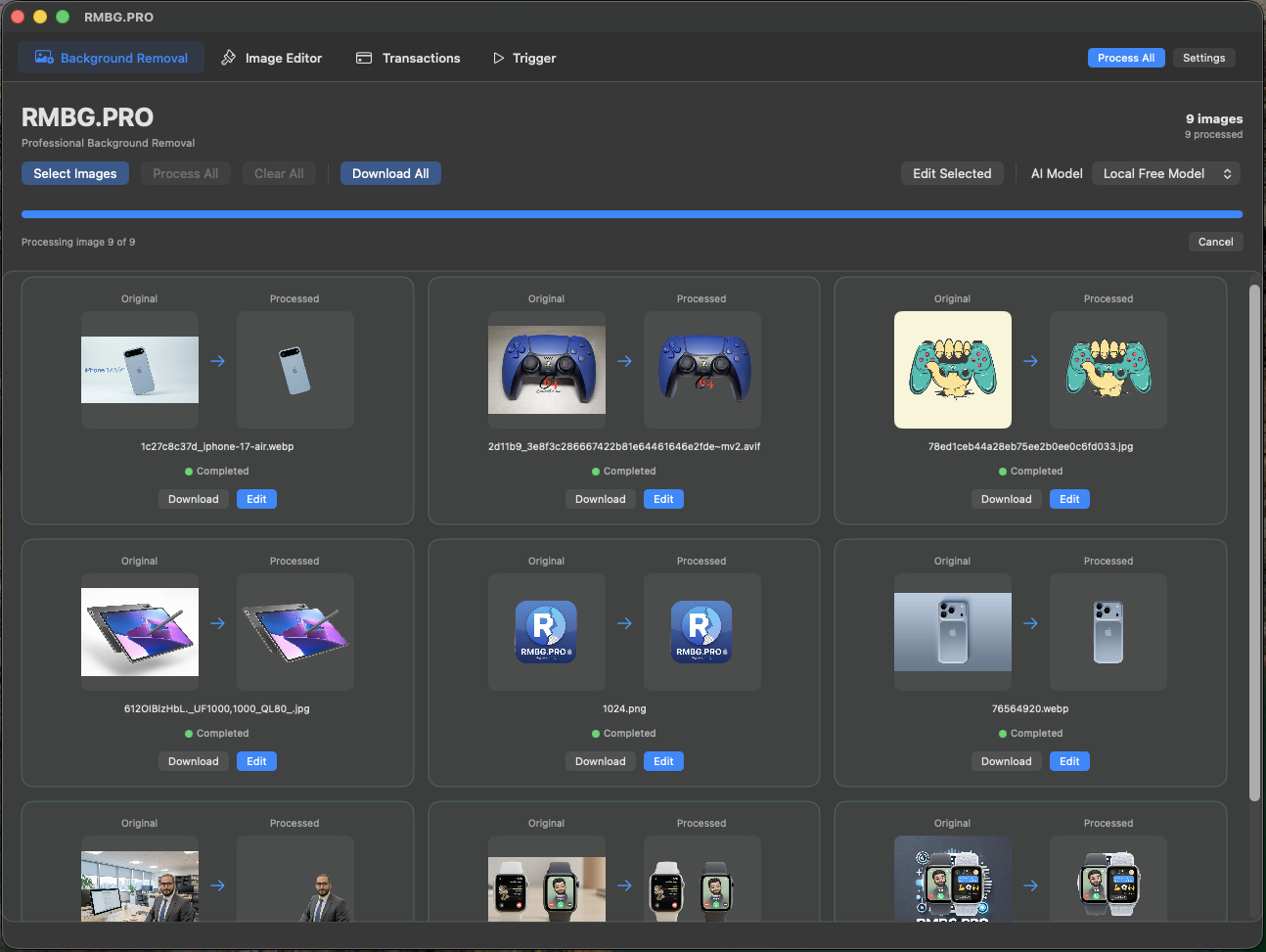
Intuitive Interface
Clean, native macOS design that feels familiar and professional.
Bulk Processing
Process multiple images simultaneously with real-time progress tracking.
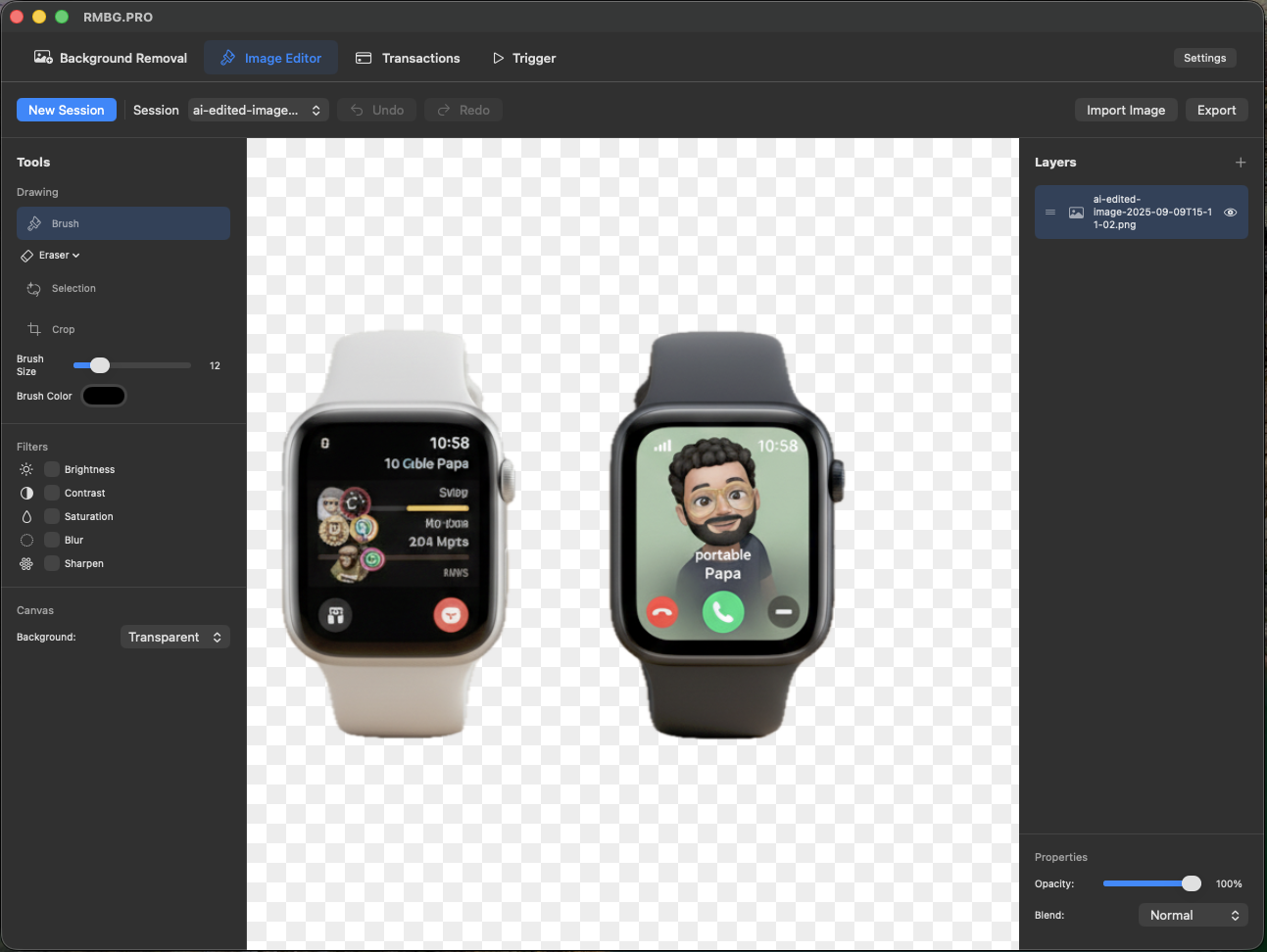
Perfect Results
Preview and fine-tune results before saving your processed images.
Layer Management
Work with multiple images as layers for complex compositions.
Smart Automation
Configure folder watching and auto-processing triggers.
How to Purchase & Download
Complete Your Payment
Click the "Download Now" button above to proceed to our secure checkout page. We accept all major payment methods including credit cards, PayPal, and more.
Contact Us for Verification
After payment, please contact us through our contact form with your transaction details. This helps us verify your purchase and ensure secure delivery.
Transaction Verification
Our team will quickly verify your transaction (usually within 24 hours) to ensure everything is in order and prevent any fraudulent activities.
Receive Your Download Link
Once verified, we'll send you a secure download link via email. This link will allow you to download the full version of RMBG PRO for macOS.
Enjoy Unlimited Local Access
Install the app on your Mac and enjoy unlimited background removal processing. No internet connection required, no monthly fees, no usage limits!
Secure & Trusted Process
Our verification process ensures secure transactions and prevents unauthorized access. Your payment information is protected by industry-standard encryption.
System Requirements
Minimum Requirements
- macOS 10.15 (Catalina) or later
- 4 GB RAM
- 2 GB available storage
- Intel or Apple Silicon processor
Recommended
- macOS 12 (Monterey) or later
- 8 GB RAM or more
- SSD storage for faster processing
- Apple Silicon (M1/M2/M3) for optimal performance
Frequently Asked Questions
Is this a one-time purchase?
Yes! For just €49, you get lifetime access to RMBG PRO for macOS with no monthly fees, no usage limits, and no hidden costs.
Do I need an internet connection to use the app?
No! Once installed, RMBG PRO for macOS works completely offline. All processing happens locally on your Mac, ensuring privacy and independence from internet connectivity.
How many images can I process?
There are no limits! Process as many images as you want, whenever you want. The app is designed for bulk processing and can handle hundreds of images simultaneously.
What image formats are supported?
RMBG PRO for macOS supports all common image formats including JPEG, PNG, TIFF, HEIC, and more. Output is available in PNG format with transparent backgrounds.
Do you offer refunds?
We stand behind our product quality. If you're not satisfied within 30 days of purchase, contact us through our support form for a full refund.
More RMBG PRO Solutions
Start Removing Backgrounds in Bulk
Install the app now and experience the power of professional offline background removal.
One-time purchase • Lifetime access • 14-day free trial