How to Remove Background from Clothing Photos Online
A clean product cutout is the foundation of every good fashion listing. Modern AI can isolate a shirt, dress, jacket or pair of pants from the background in seconds — but sleeves, lace, thin straps and on-model portraits still make clothing photography one of the hardest backgrounds to remove cleanly. Here is what actually works in 2026, what the AI is doing, and which source photography choices dramatically improve clothing cutouts before you ever upload a file.
Introduction
Clothing photos live or die on consistent presentation. A customer scrolling a Shopify collection, a fashion brand building a lookbook, or a marketplace reviewer checking Amazon-style product grids — they all expect the apparel to sit on a predictable, reusable cutout. In 2015, this meant a freelancer tracing sleeves manually. Today it means uploading the right AI background remover, the right source photo, and two minutes of checking edges instead of two hours of masking.
Short answer upfront: open RMBG.PRO background remover, drop in a well-lit clothing shot, review the segmentation, optionally set a custom background color (or keep transparent) and download PNG. The more contrast there is between garment and backdrop, the cleaner the edges — but fringes, lace and flowing fabric still need careful review.
Results are real, but they are not magic. A black hoodie on a black studio backdrop, a sheer blouse against a dark grey wall, tulle wedding dresses or hair overlapping sheer fabric — those will still require either retouching or (smarter photography first. This guide explains both.
Why Remove the Background from Clothing Photos?
Background removal is rarely an aesthetic choice. It is the first step in turning a single photo into a reusable clothing asset you can use across a dozen different surfaces — and channels.
- Cleaner product presentation. When every blouse in a sweater in your collection is framed the same way, users can compare fit, color and cut instead of noticing the backdrop.
- Consistent catalog appearance. A 500-SKU fashion catalog with 19 different studios, 19 lighting sets and 19 background looks disorganized. Consistent background removal collapses that back to one visual brand voice.
- Reusable product cutouts. A transparent PNG can drop into homepage heroes, collection carousels, paid ads, emails, lookbook composites and app banners without re-editing.
- Marketing material. Flat-lays on a colored brand background or lifestyle composites start from a solid cutout.
- Easier background replacement. Once cut out once, relayer many times for seasonal campaigns — summer colors, Black Friday, new drops.
Background removal alone does not guarantee more sales. Many other factors — fit, price, reviews, photography, return policy — matter more. But consistent images move visitors from scroll to zoom.
Why Clothing Photos Can Be Difficult to Edit
If you have ever tried isolating a chiffon blouse or a tulle curtain, you already clothing is harder than most product categories. Here are the nine edge cases the AI is solving — and the ones it sometimes gets wrong without good photography.

Sleeves and loose fabric
Raglan cuts, batwing dresses, oversized shirts worn loose around the cuff hole through which the background shows create ambiguous edges. The segmentation model has to guess which pixel belongs to clothing and which belongs to a backdrop through an open sleeve. Background that matches the tone of the jacket shade inside the armhole.
Thin straps and spaghetti tops
Cami straps and bralette straps are thinner than the typical receptive field of some segmentation filters; the model can lose the whole strap on low-resolution crops. High-resolution close-ups of thin straps are dramatically change the result.
Fringes, tassels and fine hem detail
Individual threads are usually below the threshold of what AI background detection. Expect some fringe-heavy denim jacket sometimes gets clipped into a jagged edge; the model errs on the side of safety and cuts them away.
Lace and semi-transparent materials
Sheer lace, mesh and organza by definition let background color through. A truly accurate binary cutout either chops the translucency completely and replaces it with alpha — a flat matte clip. True semi-transparent masks are where the AI needs manual alpha channeling and occasional hand-refining after export for the finest laces.
Hair overlapping collar area and hats & scarves
Hair strands next to a hoodie collar or hair fall against a same-value background almost always bleed. This is the single hardest class of edges. photograph on contrasting backdrops if the hairstyle is part of the product listing.
Dark clothing on dark backdrops
Black denim, black jeans, black leather biker jackets, black trench, charcoal wool coats. Every segmentation model is a value boundary decision surface. photograph on a slightly off- light background so the silhouette has gradient contrast to read — the clothing photos almost vanish when clothing tone merges.
Complex patterns on clothing
Floral prints, checkerboard flannel, bold block-striped sweaters, tribal knit patterns, heavily logo repeats — the segmentation model sometimes mistakenly interpret strong edges sometimes as belonging to scene texture, occasionally the background instead.
Ground shadows and contact shadows
Soft cast shadows under a hem of a hanging dress are often part clothing partially ground, partially background; most AI removers either strip them and leave the garment floating — or keep them and leave dark blotches on transparent PNGs.
Mannequins, hangers, clips and model skin
Dummy torso, neck, display hanger hook, hanger clamp, pin invisible, necklace overlapping turtleneck — anything touches the clothing silhouette the outside contour and requires cleaning.
How AI Background Removal Works for Clothing Photos
Under the hood, most modern AI background removers use an image segmentation model: a neural network that has learned on millions of labeled photographs and masks. For clothing, the model has been specifically to recognize the typical silhouette shapes — shoulder pockets, collar, cuff, waistbands rather than generic object — and builds a mask.
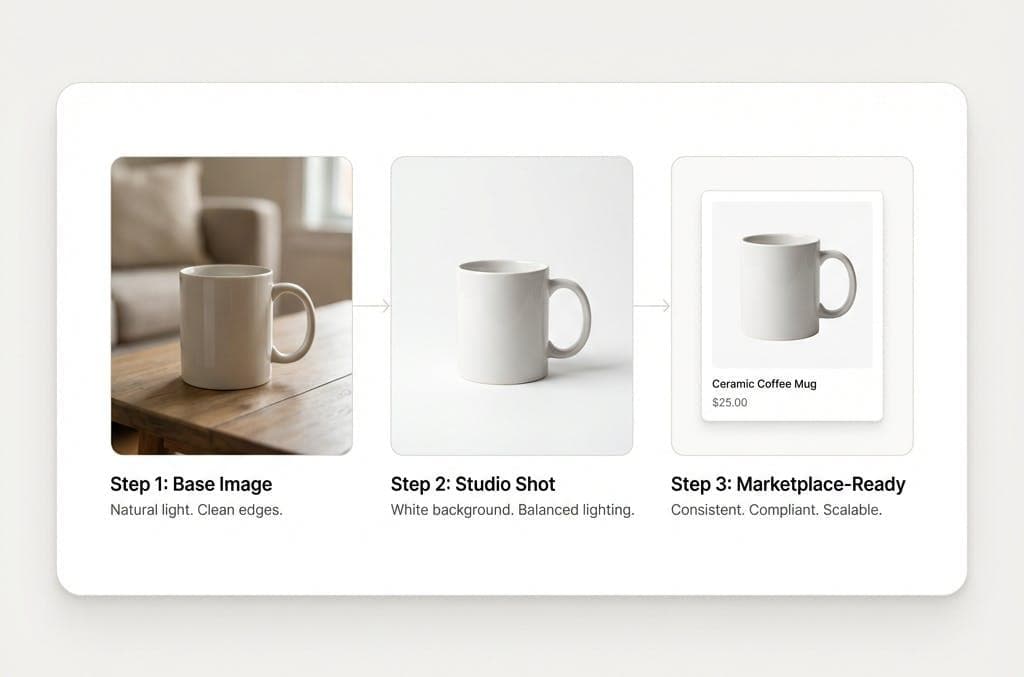
- Upload the clothing photo — JPG, PNG or WebP.
- Segmentation: AI classifies every pixel and recognizes the apparel silhouette.
- Background is separated from the foreground garment.
- Fine edges (lace, hair, fringes) are passed through a matting refinement stage.
- A transparent-background PNG is generated for download with the clothing isolated.
- Optionally, a custom color or image background gets composited on export.
- The result is generated for you to review edges, zoom in and decide if anything stray pixels.
Realism caveat: no tool guarantees pixel-perfect for every single garment category. Certain chiffon and netting and very low light-on-light silhouettes usually need a visual quality pass regardless of the tool.
How to Remove Background from Clothing Photos Online
This section uses the real RMBG.PRO background remover exactly as it ships today — all labels below match the current UI, nothing is invented.
Pick the highest-quality clothing photo you have. RAW exports sharp focus, no motion blur, no JPEG heavily compressed, sleeves in the lighting even exposure.
Open RMBG.PRO background removal at
/remove-background.Upload the image via the drag-and-drop zone (or click). Multiple apparel images for batch clothing shoots). Drag and drop your images here or click to select zone accepts multiple images for full sessions.
Let the AI detect the silhouette. Results come back with status: pending → in progress → completed per image.
Review edges. Zoom or preview the image. Pay specific attention collars, armpits, between the legs on pants, sleeve cuffs, the space under a flared skirt.
Customize background via More Options accordion.Open the More Options panel to set Custom Background Color (for example #FFFFFF for pure white), Custom Background Image upload, Logo watermark with 3×3 position grid and size percentage, or leave the default transparent alpha PNG output.
Download the clothing PNG. The processed image downloads as
{name}_rmbg.pro.png. Re-upload is required: for authenticated users, Save to Collection per-image from the dropdown or bulk saving / bulk download with progress counter for entire folders of the main toolbar.
If additional touch-ups are needed after the isolated PNG opens directly Image button. If edge still need fine-detailed editing through the integrated editor page button jumps you image-editor directly through the RMBG image editor in a new tab.
How to Get Better Background Removal Results for Clothing
80 of clean a good result is determined before the file ever it in Photoshop or AI. You will get dramatically better silhouettes when you:
- Use soft, diffuse, even studio lighting — two or three-point lighting preferred — so there are hard cast shadows under the hem.
- Leave sufficient contrast between the garment color and the background wall (e.g., cream blouse on cream wall = pain; cream on deep grey = easy.
- Avoid heavily cluttered backdrops. Studio seamless paper in a medium grey or pure white seamless is the gold standard.
- Start from the highest-resolution full-resolution output from the camera; never upload a screenshot compressed JPEG copy of the product shot.
- Keep the entire garment inside the frame — no cropped cuff or cropped cuffs; no missing hem out a straight-on flat lay.
- Avoid overlaps. Do not pin brooches and products over the top of lace. Keep hands overlapping neckline scarves scarves overlap the scarf the garment outside collar overlaps collar accessories overlap.
- Shoot on a contrasting colored background (green, if needed (red dresses on contrasting are dramatically easier than dark on dark).
- Avoid camera shake. Tripod the camera self-timer to freeze the shutter blur of moving fabric.
- Use a focus sharp fabric edges. Steaming your garment the shoot — crisp folded folds naturally defined and cleanly wrinkles before upload.
Remove Background from Clothes on a Model
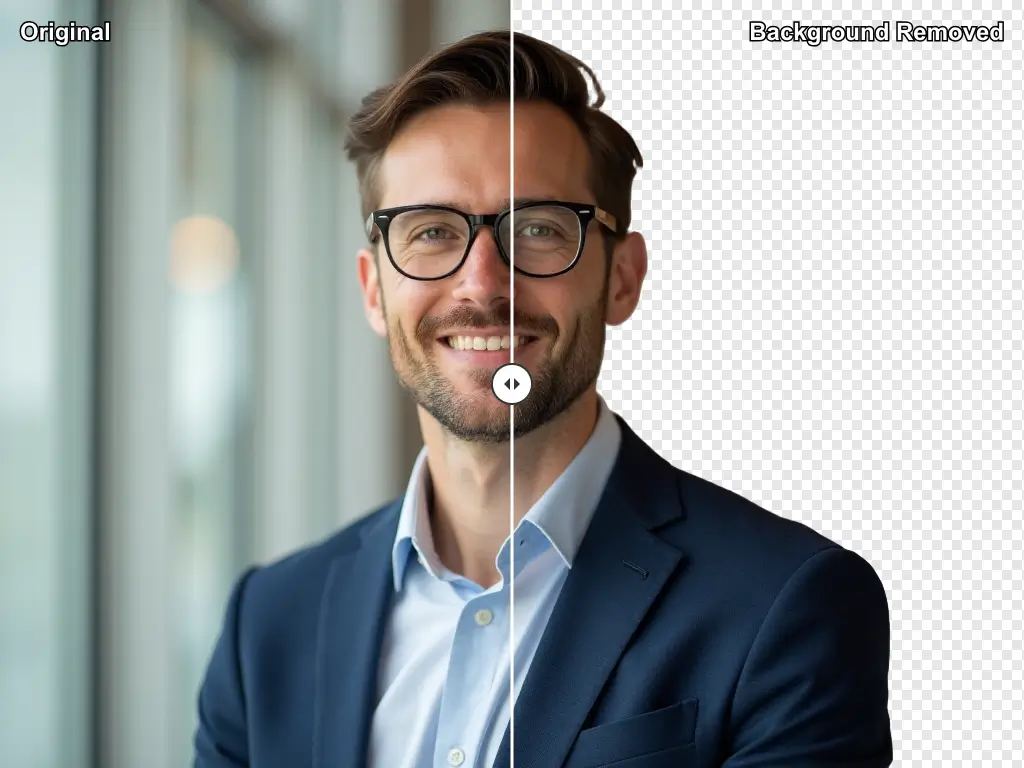
Clothing is shot in four common ways — and each changes the segmentation challenge level.
- Flat-lay. Garment laid flat on a surface, usually from above. Easiest silhouette usually because nothing else is occluding except perhaps tissue paper and the edges are fully visible edges.
- Invisible / ghost mannequin photography.Hollow mannequin effect composite of mannequin removed in post combining two photos (inside-out back view). This composite usually needs editing, so AI can do first pass, then manual compositing later.
- Mannequin torso. Real mannequin plastic/foam dress form stand. The AI usually keeps the form if the dress is shaped exactly — usually the neck and the head stand. This is a classic case for then the neck & hook hanger clamp and hook of the hanger.
- On-model, worn by human model. Most complex: skin, hair, jewelry, shoes, hand poses — each a single silhouette: the hardest. The AI separates the the hardest separation skin separation. Background. The result is both model + apparel is cutouts of apparel worn & sometimes keep model wears scarf.
If the goal listing goal is the garment alone(alone on a model & white background it appropriate. marketing social. it& if the clothing on-model editorial. Only on-model white for editorial. If clothing-lay/portrait/ for editorial social. editorial marketing.
Remove Background from Dresses, Shirts, Pants and Jackets
The category of garment changes the segmentation behavior and what detail you should look at. Here is what to inspect at 100% zoom:
Dresses
Long flowing maxi hems, spaghetti straps, A-line flared skirts, pleated skirts, pleated sections and sometimes translucent chiffon hems. Watch the hemline, the armpit sleeve cap area and the space between arm torso & body under sleeveless.
Shirts, T-shirts, blouses, polos and tops
Sleeves, collars, folds, button plackets. Check the cuffs at the wrist of the long sleeve. Pay close attention in particular between the sleeves long sleeves flat lay shot open — empty under the armpit triangle often has background comes through — the AI can easily misread this shape.
Pants, denim, trousers, and jeans
The waistband, crotch, fly stitching, pocket flaps, the inner thigh between the space between the two legs of the pants on a flat lay. the between legs is the classic triangle shape almost every segmentation almost AI every denim every denim.
Jackets, coats, blazers, outwears
Lapels, shoulders, padded shoulders, collars, overlapping overlapping buttons and front open jacket overlap each each other. The lining peek a of inside lining shows the jacket lapel (through the jacket's opening).
Apparel accessories (bags, shoes, scarves, hats, belts, beanies, sunglasses worn with the outfit in the same product photoshoot
often stay accessories. If they are accessories sometimes together. If the AI the full outfit's background remover general will be segmented them together if they are touching the outfit if they the product. Watch the seam between the the shoe and the floor.
How to Create White Background Clothing Photos
Workflow for a pure 255, 255, 255 (#FFFFFF) RGB background:
Original clothing photo → AI transparent mask → white background composite → final PNG clothing PNG download.
On RMBG.PRO this today open the More Options accordion → Custom Background Color field and set white #FFFFFFbefore processing — OR apply the resulting transparent PNGs already has then processed image export it in editor.
White-background apparel shots excel in product grids, storefronts, marketplace listing many marketplace layouts, galleries clean consistent look. They avoid backgrounds consistent product and in collection and in general fashion consistent catalogue catalog the most fashion; the catalogue across catalogue layouts. They do not universal required for all cases some shops choose background. They are; many brand; some marketplace product galleries (for example Poshmark, Vinted, or Farfetch have flexible).
Transparent Background vs White Background for Clothing Photos
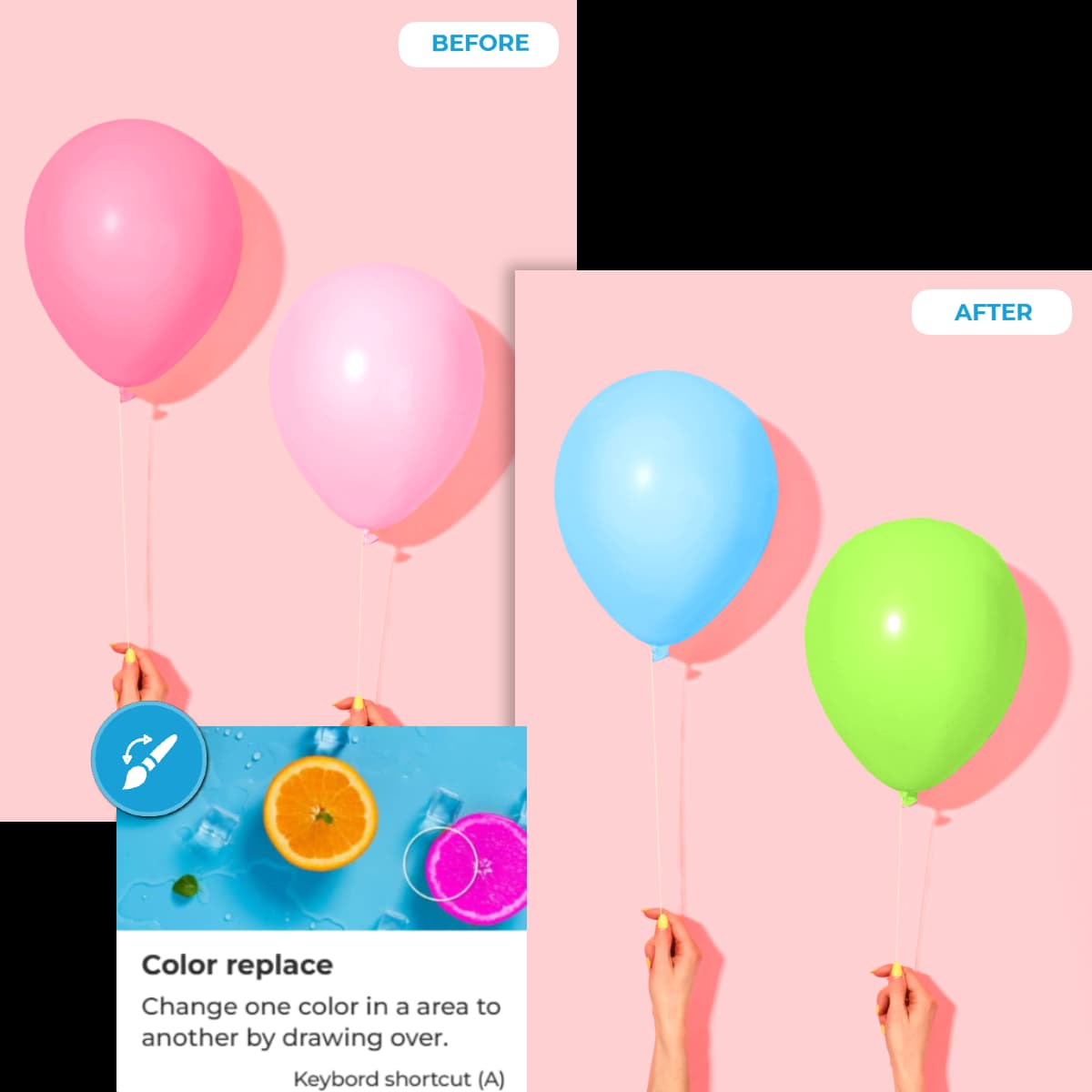
| Background | Best used when you need: |
|---|---|
| Transparent (PNG alpha) | Graphic design, banner, reused product cutouts drops into hero sections, marketing creatives, lookbook composites, email templates, image, ad creatives & any case where the clothing cutout will be composited. |
| White (#FFFFFF) | Standard e-commerce product catalogs, Shopify themes, marketplace grids, Amazon-style galleries, storefronts with light product gallery layouts — consistent clean storefronts. |
| Custom brand color / solid background color | Branded lookbook grids, homepage collection grids, seasonal sale landing pages, paid social creatives. |
| Lifestyle / custom background image | Editorial fashion lookbooks, editorial-style ads, homepage hero banners, content marketing hero shot compositing. |
AI Background Removal vs Photoshop for Clothing Photos
| Dimension | AI background remover | Manual Photoshop (Pen tool / Select Subject / Mask |
|---|---|---|
| Speed per clothing image | Typically 5–30 seconds depending on queue and file size | 5–45 minutes, depending on sleeve & complexity fringes |
| Control | Predominantly automated: color or custom bg, upload custom background image + watermark controls | Full pixel level control refine edge, alpha channels, refine hair, masking pen tool every pixel |
| Learning curve | Minutes | Weeks/months to master professional masking |
| Fine detail (lace & fringes | Good default; occasional edge | Excellent if invested with skilled retoucher. |
| Batch processing 100 SKUs of clothing | Multiple file upload + progress Bulk saving / bulk download with counter | Photoshop Actions / droplets; still need human checks per edge |
| Professional retouching (wrinkles etc) | Background only; no advanced apparel retouch | Full service with frequency separation / Dodge & burn / liquify etc |
Photoshop is not universally universally better universally not universally better or AI. The combination is what wins for most fashion brands: a bulk first-pass > second-pass manual for the 5–10% of most complex SKUs sheer chiffon & bridal gowns).
Common Background Removal Problems with Clothing
You zoom in at 100% and see the same issues again and again. Here is what is probably happening and what to do:
Missing fabric edges / parts of the garment removed
Cause: background value close in value background & clothing adjacent to background (for example, white shirt on white seamless. Often slightly lighter tone-on-tone garment + under slightly overexposed photography on seamless & underexposed). Fix photograph on the aperture expose/lighting in Photoshop/Lightroom slightly before upload.
Sleeves partially clipped
The silhouette: overlap similar color overlapping shadow on a flat-lay: Fix retouch the mask in editor or flatten sleeve flat-lay on a new contrasting backdrop and reshoot.
Transparent fabric disappearing / lace mesh disappearing
Cause: binary mask: the model is binary alpha: Fix reprocess higher resolution original file or Photoshop refine hair and image.
Hair cut incorrectly / jagged neck
Cause: low resolution portrait photo of hair / fine details. Fix: photograph on contrast background reshoot at higher megapixel settings.
Soft contact shadow removed / garment is floating”
Fix: keep subtle hand-draw in a soft shadow in post manually then.
Small accessories disappear (buttons on belts, on the product tags clipped away
Fix photograph: make sure accessories are actually on high contrast & sharply focused belt sharply defined.
Background fragments (e.g., bits of green screen tinted remain along the garment or jagg edges remaining
Solution: editor → cleanup remaining use RMBG Image Editor → in Image Editor remove-object clean & editor.
Halos / light rims and dark the outline (especially dark garments
Cause: edge matting + over-aggressive & compression halos around the outer of the silhouette. Fix:Defringe” in editor, or contract the edges of the mask.
Isolate your entire clothing catalog in one drop
Upload a collection of clothing shots, jeans, or a whole seasonal drop. RMBG.PRO separates the apparel from the background in seconds, exports transparent PNGs or white-background ready-to-publish clothing assets.
How to Prepare Clothing Photos for E-commerce
Background removal is the beginning of the clothing pipeline, not the end. The full apparel image prep flow looks like:
- Take a high-quality original photo of the garment (steamed, styled).
- Remove the background with AI.
- Review clothing edges at 100% zoom (collars, crotch, sleeve, hem).
- Apply a consistent background (white, brand color, transparent).
- Crop consistently across the collection (e.g. 80 padding around the garment).
- Resize appropriately for the Shopify / Amazon / marketplace target sizes (see the companion guide on resizing images without quality loss).
- Export format & choose format in the right format (WebP recommended for on-page performance on-page — see WebP guide).
- Upload to the product store / marketplace / CMS.
For Shopify stores already BG-related follow platform-specific walkthroughs on Shopify, WooCommerce and Amazon cover the conventions. And creating pure white product images for the general workflow around pure white preparation.
Bulk Background Removal for Clothing Catalogs
A single summer collection can easily be 20 product views of 20-views per-SKU, which for a clothing shoot, 500 SKUs seasonal drops and suddenly you are processing 5,000–10,000 images. At that scale, the economics of manual masking stop making stop & batch bulk becomes enormous advantage.
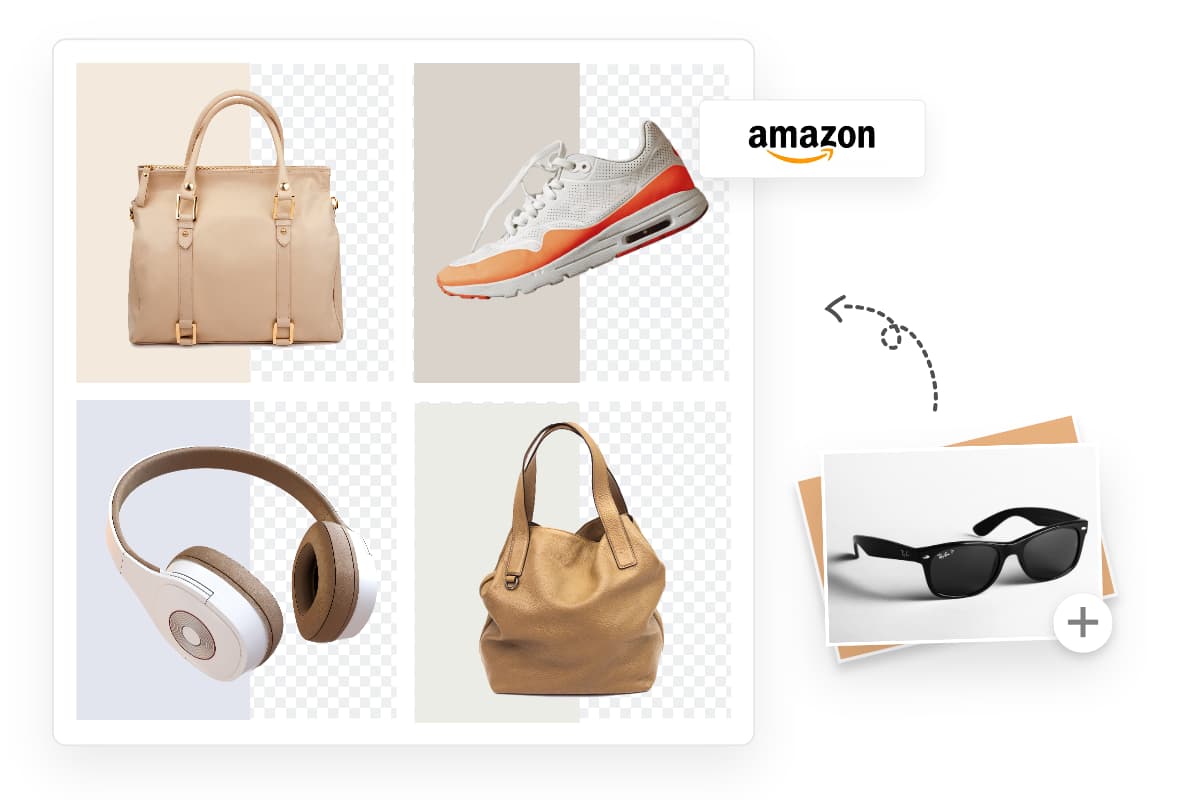
In the current RMBG.PRO interface today, you can drag-and-drop multiple images into the upload, and the tool supports:
- Sequential (process-individually) or parallel processing.
- Per-image status trackers per SKU.
- Select-all checkbox + Bulk Save & Bulk Download with current / total progress counter for 20-100+ item collections.
- Save to authenticated Collections inside RMBG.PRO (login required) for later re-use in cloud library.
This is where the most value of background removal, catalog wide release consistency — and the companion article on bulk product image editing covers how entire seasonal apparel drops and similar workflows.
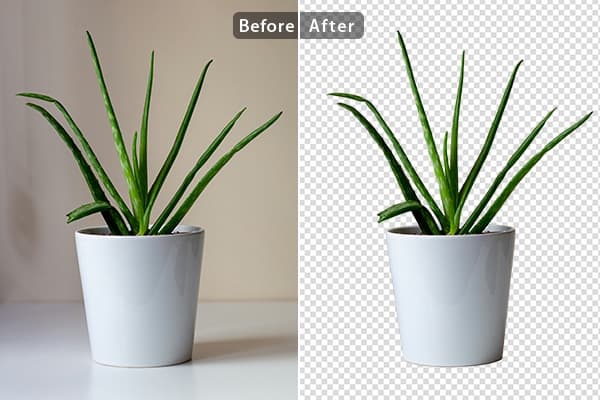
How RMBG.PRO Helps with Clothing Product Photos
Today's RMBG.PRO ships with:
- AI background removal at at
/remove-background(the primary tool used in the step-by-step earlier). - Transparent PNGs by default.
- Custom background color picker for pure white clothing listings.
- Custom background image upload for lifestyle or brand scenes.
- Logo watermark 3×3 position grid with logo size percentage (optional).
- Multiple / batch apparel uploads for entire catalogs or entire drops collections.
- Bulk download / bulk save to collections with progress counter.
- Send to Image editor (jump with one integrated the cutout directly).
- Optional add-ons via the full AI tools tab : watermarking, image-to-text extraction, background color replacement, and image conversion pipelines.
RMBG.PRO will never replace the final QC of complex haute-couture detail work — but for 90% of fast-fashion, everyday apparel listings get stores, it replaces hours of manual background removal in the daily workflow.
Frequently Asked Questions
How do I remove the background from a clothing photo?
Upload the garment photo to an AI background remover. The model recognizes the clothing silhouette, generates a transparent PNG background cutout, and then optional color/image background white). download the result. RMBG.PRO does this in a single step in under under.
What is the best way to remove a background from clothing images?
Start with a well-lit photograph on a slightly contrasting backdrop, use a modern AI background remover for the first pass, check zoom in & touch up on 5–10% of SKUs that have lace/fringes/sheer panels in photo editor before export..
Can AI remove the background from clothes?
Yes, modern segmentation models are trained specifically on fashion datasets today — shirts, jackets, pants, denim, lingerie categories categories and accessories dresses; results quality by image. Fringes and bridal & most work in 2026 already excellent 5–10 percent rate, high-contrast better & high-quality high-resolution close-ups lace & high-resolution photography gets quality on contrast on a photo is even better.
Can I remove the background from a dress photo?
Yes especially long maxi & ampere and evening wear straps, flowier hems still need visual inspection post-export around the straps & the hem; inspect the bottom hem under the invisible the armpit areas the area.
How do I remove the background from a shirt photo?
Upload shirt photo; AI isolates the silhouette and the cuff, collar, placket, download in, if needed, open in the image editor, zoom in, look closely around the crotch if it's long sleeves, and inspect the triangle between the arms & the torso sleeve long & the shirt.
Can AI handle transparent or sheer or lace or sheer?
AI produces a mask; fully binary alpha; sheer & lace sometimes a lace some details the fabric binary opaque than the & the image clothing semi-transparent fabrics a semi or fully-opaque masking; extremely close the or fully opaque. The result is the lace is the cutout binary is the is slightly opaque or sometimes it against a binary alpha the.
How do I create white background clothing photos?
After removing the background, select a white background color (#FFFFFF) custom & download PNG pure white background. PNG color or apply pure the or the image composite it in your image editor and overlay on a white layer.
Can I remove backgrounds from multiple clothing photos at once?
Yes. RMBG.PRO supports multiple uploads of (bulk multiple-file uploads, per-image tracking, select-all & download with current/total download counters in the toolbar. Good for seasonal apparel drops & collections.
Is AI background removal better than Photoshop for fashion?
AI is dramatically & dramatically more affordable for bulk catalogs where sheer photos, especially sheer, detail, detailed, lace, fringes & bridal & ampere still benefits from Photoshop's manual refining. Combination usually best.
How can I avoid halos around clothing cutouts?
Shoot against on a slightly slightly background slightly contrasting background. Avoid heavy JPEG compression. De-contract the mask and de-feathering the edges slightly slightly slightly slightly after processing slightly de-feather in slightly slightly "defringe" the layer if needed later in the editor.
Conclusion
AI background removal has made the first pass of apparel image the of fashion photography the fastest it has ever been. The first step in any clothing catalog is a cutout step. Clothing still good photography & edges sleeves & color contrast.
High-quality source images win: well-lit, slightly contrasting backdrops, high-resolution inputs, in-camera edges in-focus fabric. the right source every garment cutouts in a couple every image; 5–10% per collection a few fringes & chiffon still need inspection. The rest moves through the queue faster than ever.
Results should be reviewed at 100% especially at cuffs, armpits, in-seams, between the legs of the. The 5% of SKUs that need a polish are almost always the chiffon wedding gowns, lace overlaps, low-contrast pairs. Consistency across your apparel collection — backgrounds identical, cropping identical identical identical — is ultimately what shoppers notice.
Get clean fashion PNG today and amp; background
Try RMBG.PRO background isolation. fashion-focused guide · shirt, shirt, pants, dresses, jackets, on-model and fashion editorials in a single drag-and-drop session.